 TranslateHUD
选区Selection
选中,译在旁边 Translate the selection
选中目标文字,然后按快捷键进行快速翻译。 Select the text, then press the shortcut to translate it quickly.
macOS 菜单栏 · 14.0 及以上 macOS menu bar · 14.0 or later
选中文字,按 Option+W 翻译。图片里的文字,按快捷键后再拖框识别。翻译即刻出现。 Select text, then press Option+W to translate. For words in a picture, press the shortcut first, then drag a box to recognize them. The translation appears at once.
选区Selection
选中目标文字,然后按快捷键进行快速翻译。 Select the text, then press the shortcut to translate it quickly.
截图Region
没有选中文字时,用快捷键或菜单框选屏幕上的一块区域。识别出文字后,译文出现在旁边的浮窗里。 With nothing selected, use the shortcut or the menu to drag a region of the screen. TranslateHUD recognizes the text in that region, and the translation appears in the panel beside it.

朗读Speech
两边可以分开朗读或停止。优先用这台电脑上已安装的高级或增强语音,否则用基础语音。朗读不调用翻译接口。 Speak or stop the source and the translation separately. Premium or enhanced voices already on the Mac are preferred; otherwise it uses a basic voice. Speech does not call the translation API.
名词Terms
自动分析文中需要解释的词;点击后,把文中不好理解的名字、缩写拿出来解释,方便用户理解。 It picks out words in the passage that need an explanation. After you click, it explains the names and abbreviations that are hard to follow.
1
下载 TranslateHUD-0.4.3.dmg,打开文件,把 TranslateHUD 拖进「应用程序」即可。 Download TranslateHUD-0.4.3.dmg, open the file, and drag TranslateHUD into Applications. That’s it.
2
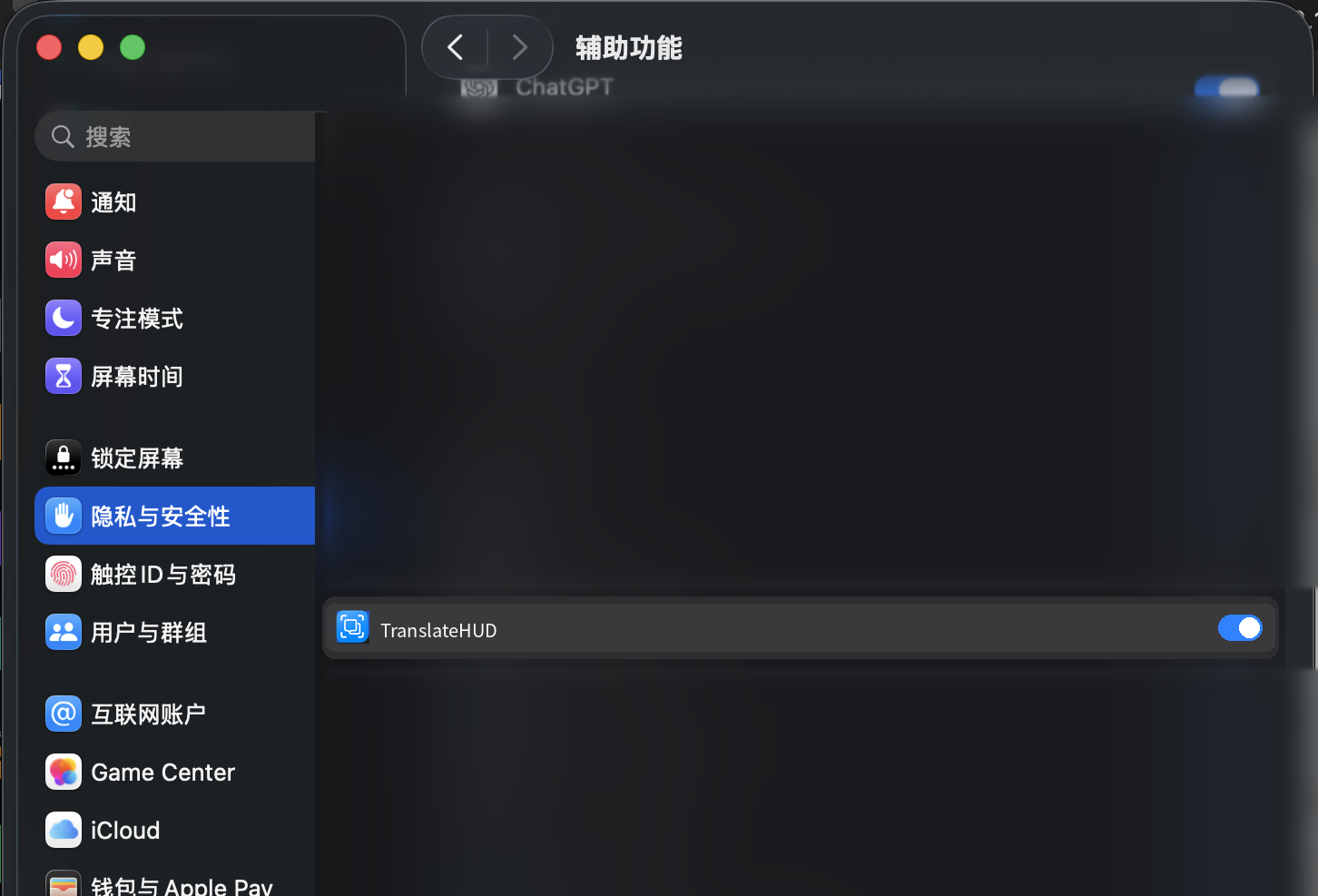
用来读取其他应用里选中的文字。打开「系统设置 → 隐私与安全性 → 辅助功能」,允许 TranslateHUD。没有它,选区翻译不能用,快捷键也会提示你去打开。 This lets TranslateHUD read selected text in other apps. Open System Settings → Privacy & Security → Accessibility, and allow TranslateHUD. Without it, selection translation cannot run, and the shortcut asks you to turn it on.
3
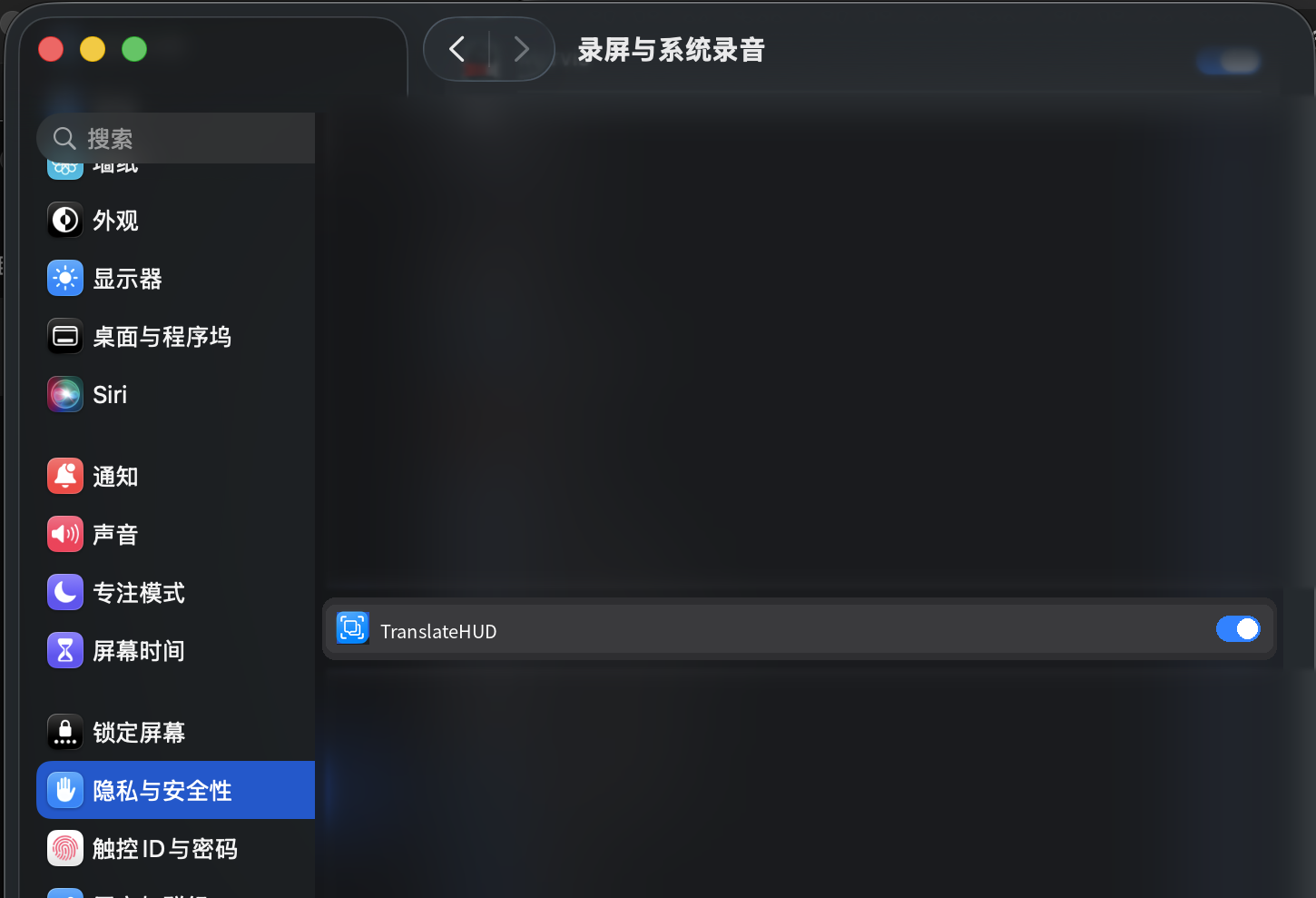
用来截取你框出的区域,再识别里面的文字。同一处打开「录屏与系统录音」。没有它,框选会失败。授权后如果仍然不行,退出 TranslateHUD 再打开一次。 This captures the region you drag, then recognizes the text in it. In the same place, allow Screen & System Audio Recording. Without it, region capture fails. If it still fails after you allow it, quit TranslateHUD and open it again.
4
在设置里用手机号登录,输入邀请码 translatehud-200 领取 ¥2 体验额度。用户也可以使用自己的 API。支持 OpenAI 兼容接口(如 DeepSeek、OpenAI;也可接本地 Ollama)。 In Settings, sign in with a phone number and enter the invite code translatehud-200 for ¥2 of trial credit. You can also use your own API. Supports OpenAI-compatible APIs (such as DeepSeek and OpenAI; local Ollama works too).
已公证。版本 0.4.3(构建 13),macOS 14 及以上。 Notarized. Version 0.4.3 (build 13), macOS 14 or later.